LLMDyno
LLMDyno benchmarks local (llama.cpp) and cloud LLMs as coding agents. Real agent harnesses (Pi, OpenCode, Codex CLI, Qwen Code, Crush, Aider, mini-SWE-agent, or your own) work on real tasks in offline Docker sandboxes, behind a proxy that records every request and enforces budgets. The results come from four sources: hidden tests, static analysis, behaviour probes and blind LLM judges. Before a local model downloads, LLMDyno tells you whether it will fit in your GPU's memory.
It is a web dashboard, a Python library and a command line, all working on the same data. From JavaScript or TypeScript, npx llmdyno starts it and the llmdyno npm package drives it.
pip install llmdyno
llmdyno serve --open
import llmdyno

gpt = llmdyno.cloud_model("openai", "gpt-6-luna", reasoning_effort="low", budget_usd=2)
qwen = llmdyno.local_model("unsloth/Qwen3.8-27B-GGUF", quant="UD-Q3_K_XL", ctx=49152)
results = llmdyno.bench([gpt, qwen], benchmarks="suite_quick", harnesses="pi")
print(results)
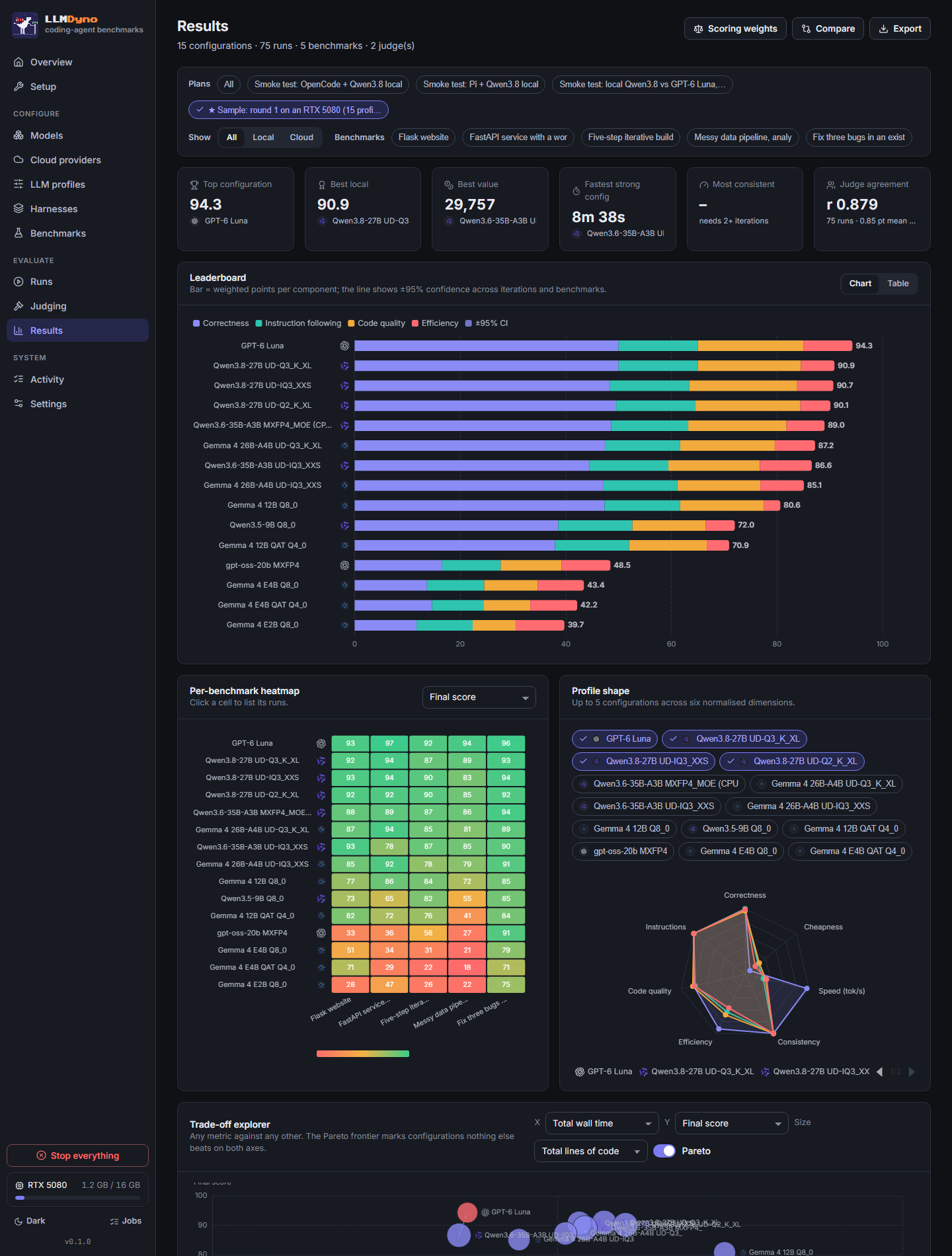
results.plot.leaderboard()
Where to go next
- Python library and CLI: everything the dashboard does, from code or a terminal.
- Integrations:
- pandas and polars, notebooks and charts;
- MLflow, Weights & Biases, Langfuse and OpenTelemetry;
- LiteLLM and Ollama, and the Hugging Face Hub;
- your own LangGraph or other agent, Inspect AI, and pytest and CI.
- Remote mode: run it on the GPU box, drive it from your laptop.
- JavaScript and TypeScript:
npx llmdyno, the npm client, and benchmarking your own TypeScript agent. - Benchmarks and Harnesses: what is measured, and how to add your own.
- API reference: every public call, generated from the code.
Source, issues and releases: github.com/speak2jerome/llmdyno.